• Skip to main content
Logo of Datachieve Digital featuring a stylized
800.706.1191Contact Us

Menu

  • Home
  • About Us
  • Our Services
  • Our Work
  • News
  • Testimonials
  • We’re Hiring
  • Contact Us

The DatAchieve Team

A person holds a tablet displaying a lock icon and the words "Access Granted." In the background, there is a plate with a croissant and a cup of coffee on a table.

Most website failures tied to staff or vendor changes don’t begin with broken code. They begin with access.

Logins are created quickly. Passwords are shared informally. Credentials live in browsers, inboxes, personal password managers, or third-party tools. It works—until the person who “has the logins” leaves.

At that point, the problem isn’t trust. It’s structure.

Access Is Not Ownership

A common mistake organizations make is confusing access with control.

Giving someone the ability to log in, update content, or manage systems does not mean the organization retains ownership. In many cases, access is granted without clarity around:

  • Who owns the account
  • How access is transferred or revoked
  • What happens when roles change

When access lives with individuals instead of the organization, continuity becomes accidental.

Why This Keeps Happening

Centralized access management often feels unnecessary—until it’s urgent.

Organizations move quickly. Volunteers help out. Staff wear multiple hats. Vendors are brought in to “just handle it.” In that environment, shared credentials and informal handoffs feel practical.

They are. Just not durable.

When access isn’t designed to survive transitions, every personnel change introduces risk.

What “Centralized” Actually Means

Centralized access management doesn’t require heavy systems or bureaucracy. At its core, it means:

  • Accounts are owned by the organization
    Domains, hosting, CMS platforms, analytics, and third-party services are registered to organizational email addresses.
  • Access is role-based, not person-based
    Permissions are granted based on responsibility, and can be changed without disrupting the system.
  • No single person holds the keys alone
    At least two trusted organizational roles can manage credentials and recovery.

This isn’t about control. It’s about survivability.

How We Handle Access in Practice

Centralized access management only works if it’s implemented with an understanding of how systems actually fail—not just how they’re supposed to work.

When we support membership organizations and nonprofits—or any client—we treat access as shared infrastructure rather than something held by a single person or firm. In practical terms, that means:

  • Domains are registered to the organization, with redundant access that does not depend on the domain itself
    Domain registrations are tied to organizational ownership, but access is not limited to email addresses that rely on the domain being active. At least one trusted contact uses a separate, non-domain email address so access remains possible even if the domain lapses or DNS is misconfigured.
  • DNS access is deliberate and redundant
    DNS records control far more than a website—they affect email, security, and third-party services. Access is granted to more than one responsible party, changes are limited to defined roles, and credentials are documented so control doesn’t disappear when someone leaves. This avoids the all-too-common situation where a well-intentioned change quietly breaks multiple systems at once.
  • We manage the hosting environment. We manage the hosting environment to protect stability, security, and performance over time. Server access and changes are handled deliberately, while third-party tracking and integrations are implemented through Google Tag Manager or with our assistance. Clients always retain access to full site and database backups and can move their site if needed. More about Why Having an Agency of Record Matters →
  • Paid plugins and platforms are owned by the organization
    Licenses and subscriptions are registered to the client. This prevents lock-in and ensures continuity if staff or vendors change. We regularly review and advise on requested plugins, explain tradeoffs, and support additions when they align with the site’s architecture.
  • Custom work is versioned and documented
    All custom development is maintained in version control, with documentation, so the organization is never dependent on a single machine, person, or firm to access or maintain its own work.
  • Websites and databases are backed up independently
    Sites and their associated databases are backed up daily on separate servers, ensuring recovery does not depend on any one system—or any one relationship.

None of this is complicated. It’s simply designed around the assumption that people, roles, and relationships change—and that access should survive those changes intact.

That’s the point.

A Simple Test

Ask this question:

If a key staff member or vendor left tomorrow, could the organization still access and manage its website and digital platforms—without their involvement?

If the answer is uncertain, access isn’t centralized.

Closing Thought

People change roles. Vendors rotate. Volunteers move on.

Organizations that treat access as an organizational asset—not a personal responsibility—don’t have to relearn this lesson the hard way.

Recent Posts

  • Designing Website Access That Survives Change
  • When the Keys Walk Out the Door
  • How We Build Websites
  • Why We Use WordPress—and How We Make It Work
  • Staying HIPAA-Compliant During a Heavy Flu & COVID Season

→ Read more: When the Keys Walk Out the Door: A Hidden Risk

Filed Under: Non-Profit

A modern office chair sits empty at a desk in front of large windows, with soft daylight streaming in and casting shadows on the floor. The room appears quiet and unoccupied, creating a calm, minimalist atmosphere.

A Hidden Risk for Organizations

Membership organizations—along with many nonprofits and small institutions—often rely on volunteers or short-term staff to manage their websites. That approach can work for a while. But over time, we’ve seen many sites fail not because of bad intentions or lack of intelligence, but because small, reasonable decisions quietly compound.

One of the most common—and least discussed—examples looks like this:

An organization entrusts its website, domain, hosting, and platform access to a single party. Sometimes that party is a volunteer. Sometimes an entry-level or transient staff member. Sometimes it’s an outside designer or small agency. Often it’s simply “the one who knows websites.”

The decision feels responsible, efficient, and human.

And then that person—or company—leaves.

What walks out the door with them isn’t just knowledge. It’s access to the keys.

This Isn’t a Technical Problem

When organizations lose access to their website, domain, or hosting, the story is often told as a technical failure. A plugin broke something. A theme caused issues. A platform update went wrong.

In reality, those things are symptoms.

The underlying issue is governance—not technology. And—hey—seriously—this is where things go wrong, despite everyone’s good intentions and hard work.

Access was granted to an individual or vendor rather than managed as an organizational asset. Credentials lived in inboxes, browsers, personal password managers, agency systems, or undocumented handoffs. Domain renewals were tied to personal or third-party email addresses. Hosting accounts were created “temporarily” and never revisited.

None of this is reckless. It’s common practice. It’s also fragile.

Why This Happens So Often in Membership Organizations

Associations and nonprofits are uniquely vulnerable to this pattern.

Leadership rotates. Boards change. Staff turns over. Volunteers step in to help, often from different locations and time zones. Budgets are scrutinized. External help is brought in to move things forward quickly.

In that environment, concentrating access with whoever is doing the work—internally or externally—feels practical. It avoids friction. It keeps momentum. It signals trust.

But it also creates a single point of failure—one that often isn’t discovered until something breaks or someone disappears.

When Good Intentions Undo Serious Work

We’ve seen this happen to organizations of all sizes, including large, well-funded, compliance-driven initiatives.

In one case, a sophisticated, six-figure website took more than a year to design and build. It included accessibility considerations, complex content workflows, and systems designed to support a humanitarian mission.

Later, in an effort to reduce ongoing costs, responsibility for the site was shifted. Access was handed off. Over time, changes were made. Tools were added. Core structures were altered. Eventually, the site stopped working.

Then the person responsible for it was gone.

No one remaining could log in. No one could access hosting. The domain couldn’t be repointed. The site—and the resources it supported—were effectively unreachable.

This wasn’t a failure of effort or intent. It was a failure of continuity.

And it’s not rare.

Ownership vs. Custodianship

The quiet distinction most organizations miss is the difference between ownership and custodianship.

Websites, domains, and digital platforms are long-lived organizational assets. They outlast staff roles, board terms, vendors, contracts, and initiatives. Treating them as personal or vendor-held responsibilities—rather than shared, governed systems—invites loss.

Custodians come and go. Ownership must remain with the organization.

That requires structure. Not complexity—just clarity.

What Stability Actually Looks Like

Stability doesn’t mean locking everything down or distrusting capable people or partners. It means designing systems that assume change.

That includes:

  • Organizational control of domain registration and renewals
  • Centralized access management that survives staff or vendor transitions
  • Clear documentation of who owns what—and why
  • Thoughtful limits on what can be changed, and by whom
  • Continuity plans that don’t depend on any single person or firm

These aren’t technical best practices. They’re stewardship practices.

Why This Matters More Than Ever

Membership organizations exist to serve communities, professions, causes, and missions that extend far beyond any one individual or engagement. When digital systems fail, the cost isn’t just financial—it’s trust, momentum, and often years of accumulated work.

The tragedy is that most of these failures are preventable. They don’t require better tools. They require better framing.

Not “Who’s handling the website?”
But “Who still has access when this relationship changes?”

A Final Thought

Organizations don’t lose their websites overnight. They lose them gradually—through reasonable decisions made without a long view.

The solution isn’t control for control’s sake. It’s responsibility designed to endure.

Because missions shouldn’t disappear when the keys do.

Recent Posts

  • Designing Website Access That Survives Change
  • When the Keys Walk Out the Door
  • How We Build Websites
  • Why We Use WordPress—and How We Make It Work
  • Staying HIPAA-Compliant During a Heavy Flu & COVID Season

→ Read more: How We Handle Access in Practice

Filed Under: Non-Profit

A close-up of a hand-drawn website wireframe sketch on paper, showing boxes, lines, and placeholder text representing layout elements like images, headings, and buttons.

A calmer, more durable way to build and support websites

Most agencies approach websites as projects. We approach them as systems—designed, built, hosted, and supported by the same team, with the expectation that they’ll evolve over time.

That difference shows up early in discovery, carries through development, and matters most years later, when the site is still doing real work for your organization.

Our Model, at a Glance

  • Deep-dive discovery led by Google-certified UX/UI specialist
  • Interactive wireframes and concepts before development begins
  • Cross-disciplinary, in-house team working side by side every day
  • Modular, object-oriented development on a pared-down WordPress framework
  • API and integration specialists on staff—not outsourced
  • Specialized hosting aligned with how the site is built
  • Ongoing updates and support from people who know the system

Why Our Team Structure Matters

At DatAchieve Digital, UX/UI, design, development, API, and IAT2-certified specialists work together in the same space every day. Not remote. Not outsourced. Not assembled per project.

That’s a deliberate operational choice.

  • Faster, better decisions: Questions get answered in conversation, not ticket threads.
  • Problems surface early: Design, UX, and technical constraints are resolved before they become expensive fixes.
  • What’s designed is what gets built: There’s no translation layer between vision and execution.
  • Institutional memory is retained: Long-term employees mean context accumulates instead of disappearing when a contract ends.
  • Clear accountability: The same team that designs and builds the system supports it over time.

From UX/UI and design through development and security, our team is professionally trained, with formal degrees, certifications, and real-world experience behind the work. Just as importantly, they work side by side, in person, every day. Over time, each team member is also trained internally to understand and support the work of others. The result isn’t just collaboration—it’s a shared understanding that amplifies creative and technical problem-solving in ways siloed teams can’t match.

How We Build

Projects fail quietly when decision-makers aren’t aligned. We surface priorities, constraints, and tradeoffs early so momentum isn’t lost later to surprises or redefining project goals.

  • Onboarding

    From the outset, we clarify how the work will move, how decisions are made, and what to expect at each stage. You’re given access to our collaboration tools to submit requests, share files, track progress, and stay informed without chasing updates. The goal is simple: no mystery and no loss of control as the project moves forward.

  • Discovery

    Through stakeholder interviews, questionnaires, and a deep audit of your existing site and connected systems, we build a clear picture of your goals and constraints. Led by a Google-certified UX/UI specialist, discovery focuses on user behavior, content structure, accessibility, and operational reality—not just aesthetics.

  • Planning

    Architecture comes before appearance. We define hierarchy, flow, and reuse so the site makes sense to people first and stays coherent over time. Interactive wireframes are developed and shared, giving stakeholders a clear view of structure and flow before development begins.

  • Design

    Design serves intent, not trends. Visual decisions reinforce structure, brand, and clarity, avoiding cleverness that doesn’t age well. High-fidelity, interactive concepts allow you to navigate the site, test key elements, and understand how the system works before anything is built.

  • Development

    As the design is being completed, work begins on the development of your working site on a password-protected development server. This is engineering, not assembly. Custom development on a disciplined WordPress framework produces systems that can be updated, extended, and handed off without fear.

  • Integrations & APIs

    We’re not just designers—we understand what’s happening behind the scenes. Our API and coding specialists work side by side with UX/UI and design to ensure integrations are stable, intentional, and enhance the experience rather than getting in its way.

  • Documentation

    We follow professional development practices, including GIT-based version control and clear, practical documentation. While we’re always here to support the work, everything we build is structured so you retain full ownership and can transition it to another vendor if needed—without friction or dependency.

  • Testing & Validation

    Before anyone else sees the site, it’s tested across browsers, devices, and platforms to confirm real-world performance. Issues are resolved here, quietly, where they belong. Once complete, a password-protected working version is shared so you can experience the site as a system, not a static preview.

  • Launch

    When the site is ready, we back up existing content, complete final pre-flight checks, and transition the domain to the live environment. Launch is deliberate, not dramatic. Careful preparation and disciplined deployment ensure the site goes live smoothly—without chaos, and without surprises.

  • Training

    We provide focused CMS training so your team can confidently manage and update the site. Training can be expanded as needed, and is supported by a library of short how-to videos that staff can reference anytime—useful both day to day and as new team members come on board.

  • Follow-Up

    We’ll 30-day follow-up to review performance and functionality and make any minor layout or content changes that might be needed—no additional cost.

Hosting, Site Care, and Support

Hosting and maintenance aren’t add-ons for us—they’re part of the responsibility.

  • Specialized hosting aligned to how the site is built
  • Managed updates with dependency awareness
  • Preventative maintenance instead of emergency repair
  • Ongoing support from people who already know your site and systems

Our Model vs. Typical Agency

DatAchieve DigitalTypical Agency
✓ WordPress specialists since version 1
✓ Custom development on a pared-down WordPress framework
✓ Modular, object-oriented code built for long-term use
✓ UX, design, and development handled in-house
✓ Coding, API, and security specialists on staff
✓ Disciplined, minimal plugin use
✓ Specialized hosting aligned to the build
✓ Managed updates with dependency awareness
✓ Long-term support by the original team
✓ Built to evolve over years
— Occasional or recent WordPress use
— Theme- or template-based builds
— Page builders and short-term structures
— Work split across teams or outsourced
— Integrations outsourced or avoided
— Heavy plugin stacks
— Commodity hosting
— Automated or reactive updates
— Ticket-based support with staff turnover
— Built to launch and move on

Why We Use WordPress (and How We Use It Well)

We build on WordPress intentionally. WordPress is flexible, widely supported, and capable of powering complex, content-driven sites—but only when it’s implemented with discipline. We’ve written separately about:

  • Where WordPress excels
  • Where it can cause problems
  • And how we mitigate its shortcomings through architecture, restraint, and long-term care

→ Read more: Why We Use WordPress—and How We Make It Work

The Practical Result

  • Fewer rebuilds
  • Fewer emergencies
  • Fewer vendors to manage
  • More continuity over time

Most organizations don’t outgrow their websites. They outgrow the way those websites were built and supported. Our model is designed to avoid that cycle.

Recent Posts

  • Designing Website Access That Survives Change
  • When the Keys Walk Out the Door
  • How We Build Websites
  • Why We Use WordPress—and How We Make It Work
  • Staying HIPAA-Compliant During a Heavy Flu & COVID Season

Filed Under: Our WordPress Series, Web Design & Development, WordPress

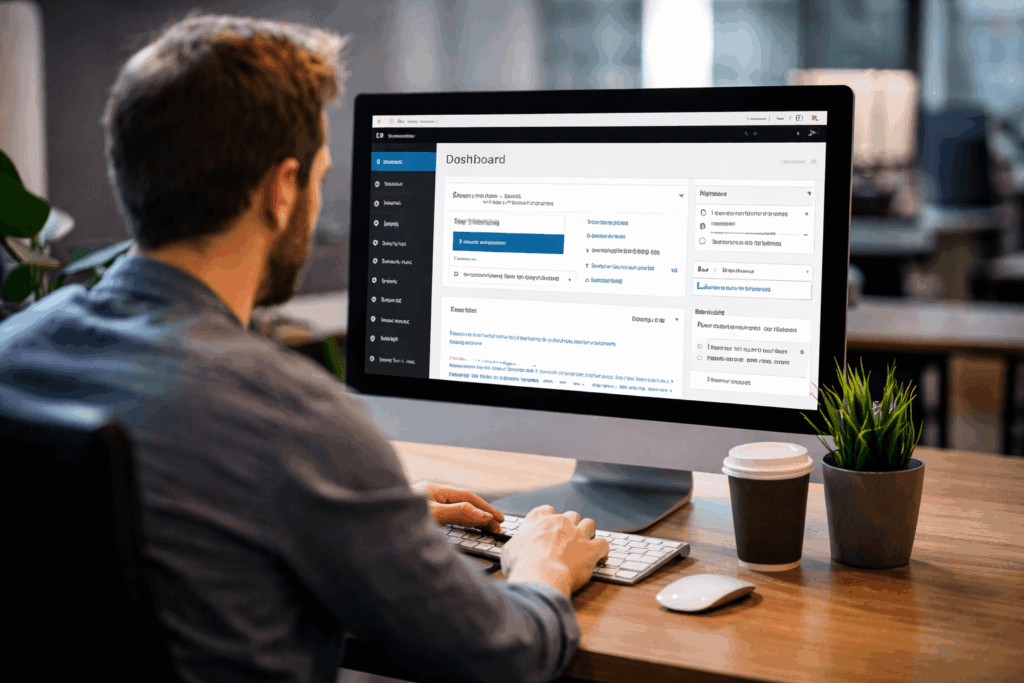
A man sits at a desk, using a desktop computer displaying a WordPress website dashboard interface. A coffee cup, notebook, and small potted plant are on the desk in an office setting.

The short version:
WordPress is powerful, flexible, and widely supported—but only when it’s implemented with discipline. We use WordPress because we understand both its strengths and its weaknesses, and we build in ways that leverage the first while actively mitigating the latter.

Why WordPress Is a Strong Platform

WordPress remains one of the most capable content management systems available when used intentionally.

  • Mature and tested: Two decades of real-world use across industries and scales.
  • Flexible content modeling: Pages, posts, custom post types, taxonomies, and fields can be shaped to fit real organizational needs.
  • Large ecosystem and longevity: Broad developer support and no vendor lock-in.
  • Accessibility: When properly used, capable of meeting accessibility requirements with proper structure and markup.
  • Admin-friendly: Teams can manage and update sites without outside intervention—when the CMS is set up properly.

Where WordPress Commonly Goes Wrong

Most WordPress problems aren’t WordPress problems—they’re implementation problems.

  • Overloaded themes and page builders
  • Plugin sprawl without governance
  • Poorly structured content models
  • “Quick fixes” layered over weak foundations
  • No plan for updates, maintenance, or staff turnover

These choices often lead to fragile sites that are hard to update, slow to load, and expensive to fix later.

How We Make WordPress Work (Long Term)

This is where our approach differs.

  • We start with architecture, not appearance
    Content structure, hierarchy, and reuse are defined before design and development.
  • We build custom—without reinventing the wheel
    A pared-down WordPress framework, not a bloated theme or rigid template.
  • We avoid page builders
    Gutenberg is used intentionally; layout control is engineered, not improvised.
  • We use plugins sparingly and deliberately
    Each plugin must earn its place and survive long-term scrutiny.
  • We write modular, maintainable code
    Object-oriented patterns and clear separation of concerns make updates safer.
  • We plan for updates from day one
    Core, plugin, and platform changes are expected—not feared.
  • We support what we build
    Hosting, updates, and ongoing care are part of the same responsibility, handled by the same team.

What This Means for You

  • Fewer rebuilds
  • Safer updates
  • Cleaner handoffs
  • Lower long-term risk
  • A site that evolves instead of erodes

How This Fits Our Broader Model

This WordPress approach only works because it’s supported by how we operate:

  • Cross-disciplinary, in-house team
  • UX, design, development, and API specialists working side by side
  • Long-term employees with institutional memory
  • Hosting and support aligned with the build

That continuity is what allows WordPress to remain stable and effective over time.

WordPress isn’t “easy,” and it isn’t “cheap” when done well. It is durable, adaptable, and trustworthy when treated as a platform—not a shortcut.

Related:
→ WordPress Specialists (For Over 20 Years, Since Version 1)

  • How We Build Websites
  • Why We Use WordPress—and How We Make It Work
  • Using WordPress as a Platform, Not a Shortcut
  • Plugins, Updates, and Why WordPress Sites Break
  • WordPress.org vs. WordPress.com: Same Name, Very Different Tools
  • WordPress: What It Is, What It Isn’t, and Why That Matters
  • WordPress: Why Structure Comes Before Convenience

Trademark Notice: WordPress®, the WordPress logo, and related marks are trademarks of the WordPress Foundation. Their use on this site is for informational purposes only and does not imply endorsement, sponsorship, or partnership.

Our WordPress Series

  • How We Build Websites
  • Why We Use WordPress—and How We Make It Work
  • Using WordPress as a Platform, Not a Shortcut
  • Plugins, Updates, and Why WordPress Sites Break
  • WordPress.org vs. WordPress.com: Same Name, Very Different Tools
  • WordPress: What It Is, What It Isn’t, and Why That Matters
  • WordPress: Why Structure Comes Before Convenience

Filed Under: Our WordPress Series, Web Design & Development, WordPress

A black and silver stethoscope is placed on a light blue background, with the tubing curled in a loose coil.

Ah-choo! You just faced a lawsuit!

As flu and COVID cases rise, healthcare organizations often see a surge in online appointment requests, symptom questions, and digital communication from patients. With this increased activity, it’s critical to make sure your website and digital tools remain fully HIPAA-compliant.

Many practices don’t realize that HIPAA extends far beyond medical records—it also applies to websites, online forms, chat tools, analytics, and even newsletter platforms.

Common Noncompliance Issues

Google Analytics + Meta Pixel

Tools like Google Analytics and Meta Pixel track IP addresses, page views, and user behavior. On healthcare page ( especially appointment request or symptom-related page) this data becomes PHI.
Risk: Google and Meta do not sign BAAs, so sending PHI to them violates HIPAA.
Bottom line: Do not use these trackers on any page where a patient may share or imply health information.


Using Regular Live Chat for Symptom Questions

Standard chat tools (Tidio, LiveChat, Messenger plugins, etc.) aren’t HIPAA-compliant. If patients share symptoms or medical details, the chat becomes PHI.
Risk: Messages are stored and transmitted through unsecured, non-HIPAA platforms.
Bottom line: Only use HIPAA-compliant chat or redirect medical questions to a secure patient portal.


Website Forms Not Being HIPAA-Compliant

Any form that collects patient information (appointment requests, symptoms, insurance details, or even basic contact info tied to medical intent) is considered PHI.
Risk: Standard website forms (Wix forms, basic form builders) often lack encryption, secure storage, and a BAA, making them noncompliant.
Bottom line: Use HIPAA-secure forms that encrypt data, store it safely, and never send PHI through regular email.


Have a HIPAA Question?

If you have question on HIPAA regulations or want to make sure you are compliant, we’re here.

Recent Posts

  • Designing Website Access That Survives Change
  • When the Keys Walk Out the Door
  • How We Build Websites
  • Why We Use WordPress—and How We Make It Work
  • Staying HIPAA-Compliant During a Heavy Flu & COVID Season

Filed Under: Healthcare, Web Design & Development

A cash register with a tablet screen sits on a wooden counter, surrounded by stacked plates and utensils. In the warmly lit restaurant, holiday decorations add a festive touch as a person works in the background.

Online Ordering

Restaurants that don’t offer online ordering risk falling behind in an increasingly digital marketplace. Today’s customers expect the convenience of browsing menus, placing orders, and making payments online.

Technology is becoming a must-have in restaurants, with 78% of owners saying online ordering drives most of their sales.

Mika Takahashi – Prostay

The Disadvantages of Not Offering Online Ordering

  • Lost sales: Customers choose restaurants that make ordering quick and easy.
  • Less visibility: Without online options, fewer people find your restaurant.
  • More mistakes: Phone orders can lead to mix-ups and unhappy customers.
  • No data: Online systems provide insights to improve menus and marketing.
  • Lower efficiency: Staff spend more time on phone orders instead of service.

Mistakes to Avoid When Using OLO

  • Cluttered or hard-to-read menus that make browsing frustrating.
  • Outdated info like prices, hours, or unavailable items.
  • Complicated checkout that causes customers to abandon orders.
  • Non–mobile-friendly design, limiting access for phone users.
  • Low-quality or missing photos that fail to showcase food.
  • Generic branding that doesn’t reflect the restaurant’s identity.

Want to Integrate OLO?

If you’d like to talk through where to begin, we’re here.

Recent Posts

  • Designing Website Access That Survives Change
  • When the Keys Walk Out the Door
  • How We Build Websites
  • Why We Use WordPress—and How We Make It Work
  • Staying HIPAA-Compliant During a Heavy Flu & COVID Season

Filed Under: Business, Digital Marketing, SEO & Marketing, Web Design & Development

A doctor in a white coat holding a tablet walks outdoors among red warning signs labeled “COMMENTS,” “REVIEWS,” and more—illustrating hidden HIPAA landmines medical practices need to know about.

What Medical Practices Need to Know

Most medical practices know HIPAA rules around patient records. But many overlook how easily violations can happen online—on websites, social media, or even reviews.

The Risks

  • Online reviews/comments
    Thanking someone for a positive review confirms they’re a patient—a HIPAA violation. One dental practice was fined $10,000 for this: hhs.gov >
  • Social media replies
    Even a simple “we appreciate patients like you” exposes protected health information (PHI).
  • Employee posts
    Staff posting photos or patient stories—even without names—can be violations. One nursing assistant lost her job and was jailed 30 days for posting a patient video. hipaajournal.com >
  • Website analytics
    Tools like Google Analytics can capture PHI through URLs or searches. Without a Business Associate Agreement (BAA)—which Google won’t provide—this is a compliance risk.
  • Tracking pixels (Meta, LinkedIn, and others)
    Many healthcare websites unknowingly include third-party pixels installed for ad retargeting or social media insights. These tools can transmit visitor IPs, referrer URLs, or form data back to platforms like Meta or LinkedIn—creating a risk of unintentional PHI exposure if those visits relate to specific medical services. Even if the intent isn’t to track patients, algorithms can infer sensitive information from behavioral data.
  • Non-secure email addresses or inquiry forms
    Even with a disclaimer asking visitors not to share personal information, the act of entering a name or email address on a medical website can itself disclose interest in medical services and is considered PHI.
  • Training gaps
    Staff often don’t realize how easy it is to cross the line—particularly when managing social media and or online reviews. Poor training = higher risk.

For a deeper dive, see our post: Is Google Analytics HIPAA Compliant?


The Consequences

  • Fines: From thousands to millions.
  • Reputation loss: Patients lose trust.
  • Legal exposure: Disciplinary action or worse.

The Fix

  • Audit tools: Review analytics, chatbots, plugins—anything that collects data.
  • Train staff: Make HIPAA-in-digital-context part of onboarding and ongoing training.
  • Create policies: Spell out do’s/don’ts for social media and reviews.
  • Explore alternatives: Use HIPAA-compliant analytics platforms (e.g., Matomo, Azure) if needed. If you’re evaluating safer options, explore our guide on HIPAA-Compliant Analytics Alternatives

👉 Bottom line: HIPAA violations don’t just happen in records rooms. They happen every day online—often with good intentions. Awareness, training, and smart choices about tools are your best protection.


Note: The information provided in this article is for general educational purposes only and does not constitute legal advice. While we reference third-party tools and HIPAA requirements, every organization’s compliance obligations may vary. You should consult with qualified legal or compliance professionals to determine how HIPAA applies to your specific situation. References to Google Analytics and other platforms are for informational/editorial purposes only and do not imply endorsement.

Recent Posts

  • Designing Website Access That Survives Change
  • When the Keys Walk Out the Door
  • How We Build Websites
  • Why We Use WordPress—and How We Make It Work
  • Staying HIPAA-Compliant During a Heavy Flu & COVID Season

Filed Under: Healthcare

DatAchieve Digital is seeking a Full Stack Web Developer with 2–4 years of experience in open-source web development. We’re looking for someone who enjoys writing clean, well-structured code and thrives in a collaborative environment where quality and precision matter.

What you’ll do:

  • Build and maintain custom websites and applications using open-source technologies
  • Work in a Git-based development environment with version control best practices
  • Use the command line to manage Linux servers, deploy code, and handle server-side tasks
  • Develop with an object-oriented approach and follow coding standards
  • Create responsive, accessible front-end experiences with HTML, CSS, and JavaScript
  • Collaborate with designers and project managers to bring concepts to life
  • Troubleshoot and optimize for performance, security, and scalability

What we’re looking for:

  • 2–4 years of professional coding experience (open-source focus)
  • Proficiency with HTML, CSS, JavaScript, and PHP (other languages/frameworks a plus)
  • Familiarity with Git, CLI tools, and Linux server management
  • Understanding of responsive design and cross-browser compatibility
  • UX/UI awareness (a plus, but not required)
  • Strong problem-solving skills and attention to detail

What we offer:

  • Competitive hourly pay
  • Medical benefits
  • Paid vacation, holidays, and personal leave
  • 401(k) retirement plan
  • Free downtown parking

DatAchieve has been helping organizations with digital design, development, and management since 2001. If you’d like to grow with a team that values both technical skill and clear communication, give us a call at 301-791-2622 or submit your application here.

Filed Under: Business

A red line transitions from a chaotic tangle on the left to a neat spiral on the right, symbolizing moving from confusion to order, on a plain white background.

Digital platforms were supposed to make things easier.

Instead, most organizations are drowning in disconnected tools—CRMs, email, ecommerce, POS, donor software, scheduling, analytics. Each with its own vendor. Its own learning curve. And no one pulling it all together. Too often, they’re left in the hands of short-term hires who say they “know,” but don’t.

That’s where an Agency of Record comes in.

What is an Agency of Record?

An Agency of Record (AOR) is your partner for making sure all your digital systems and vendors actually work together—not just your website, but every connected platform and tool.

  • Vets and manages third-party tools
  • Coordinates across platforms and vendors
  • Advises based on real-world experience
  • Implements systems that actually work together
  • Supports you with a single point of contact who knows your organization and team
  • Provides a clear audit trail record of who did what, when
  • Buttons up everything—every day—so you’re covered if disaster or bad actors strike
  • Shows up as a real, accountable person at your meetings—with an expert team behind them

Why this matters right now

  • Tech costs are rising—and so are mistakes
  • Internal teams are stretched thin
  • Vendors don’t talk to each other
  • Compliance, security, and accessibility gaps are widening
  • You need clarity and accountability—not another dashboard

Is an Agency of Record model right for you?

A quick self-check to help you identify whether it’s time to consolidate your digital vendors under one experienced partner.

  • You have multiple third-party tools (CRMs, email, ecommerce, etc.) that don’t work well together.
  • You’re paying for platforms you don’t fully use or understand.
  • Your internal staff spends too much time managing tech or troubleshooting.
  • You don’t have one person or vendor who understands all of your systems.
  • When something breaks, your’re not sure who to call—or it takes too long to fix.
  • You’re worried about data privacy, compliance, or accessibility (but don’t have time to deal with it).
  • You’ve had to re-explain your needs over and over to different vendors.
  • You don’t don’t know if any of what your’re paying for really makes a difference and don’t have a clear picture of how your digital tools support your actual goals.
  • You feel like you’re reacting instead of planning.
  • You’d rather work with a team who understands the whole picture—and your business.
  • You want one point of accountability.

If you checked two or more boxes, it might be time to talk. We’re not just a vendor—we’re your digital partner.

We’re “Human to Human”

More than B2B or B2C—we’re a “Human to Human agency. You won’t be talking to a chatbot or a call center. We’ll show up at your meetings. You’ll be working with real people—designers, developers, marketers, and strategists—who do this every day, can share what they’ve learned working with organizations just like yours, and whop understand what it takes to keep systems running, budgets in check, and teams moving forward. Not sure? Just ask our clients.

We’re not here to sell you more platforms. We’re here to make the ones you already have work better.

Want to see if this model makes sense for your team? Let’s talk.

Recent Posts

  • Designing Website Access That Survives Change
  • When the Keys Walk Out the Door
  • How We Build Websites
  • Why We Use WordPress—and How We Make It Work
  • Staying HIPAA-Compliant During a Heavy Flu & COVID Season
The DatAchieve Team

Filed Under: Business

Federal grant guidance is shifting. Here’s what that may mean for planning, funding, and strategy.

President Donald J. Trump signs executive orders.
President Trump Signs Executive Order- Public Domain

An Executive Order issued in August 2025 introduces changes to how federal grants are reviewed and approved. Among the key provisions: agencies are now asked to ensure that grantmaking efforts align more directly with stated federal policy priorities. Political appointees are expected to play a larger role in the oversight process.

Why it matters:

For nonprofits, arts organizations, and community groups, this shift could influence how grants are evaluated, especially in mission areas that have become politically visible in recent years. These may include programs focused on diversity, community health, equity initiatives, and environmental education.

Fundraising implications:

Federal funds often serve as an anchor for larger efforts—providing match funding, validation, and access to complementary support. In light of these changes, organizations may experience:

  • Longer approval timelines or modified review processes
  • Requests for additional documentation or clarification
  • Uncertainty around funding renewals
  • Caution among private funders waiting to see how things evolve

What you can do right now (without a full website rebuild):
As a digital partner to many nonprofits and community-focused organizations, we recommend a practical, proactive review:

  • Revisit your Calls to Action – Are they clear, compelling, and accessible across devices? Are they doing the job for you—and for your donors?
  • Test your donor funnel – What’s the experience like from first click to completed gift? Are there friction points or confusion?
  • Review your messaging – Does your appeal still resonate in the current political and cultural moment? Is it clear what’s at stake and why your work matters?
  • Track user journeys – It may be time to implement light visitor tracking to understand how people are interacting with your site and where they’re dropping off.
  • Evaluate your donor platform or CRM – Is it helping you build relationships—or just managing transactions?
  • Audit your email campaigns – Are you reaching people consistently with timely, thoughtful content that supports your mission?
  • Refresh your success stories – Share outcomes, not just needs. Help donors see the tangible difference they’re making.

You don’t need to overhaul your entire digital presence—but taking a fresh, strategic look now can help you stay confident, responsive, and donor-ready.

If you’d like to talk through where to begin, we’re here.

Recent Posts

  • Designing Website Access That Survives Change
  • When the Keys Walk Out the Door
  • How We Build Websites
  • Why We Use WordPress—and How We Make It Work
  • Staying HIPAA-Compliant During a Heavy Flu & COVID Season

Filed Under: Business, Non-Profit

  • Page 1
  • Page 2
  • Page 3
  • Interim pages omitted …
  • Page 6
  • Go to Next Page »
The DatAchieve logo, consisting of a red pentagon with a stylized capital
30 West Washington StreetHagerstown, Maryland 21740
Toll Free:800.706.1191Phone:301.791.2622

Navigation

  • Home
  • About Us
  • Our Services
  • Our Work
  • News
  • Testimonials
  • We’re WordPress Specialists
  • Nonprofit Websites
  • We're Hiring
  • Contact Us
  • Privacy Policy

Services

  • Web Development
  • Site Management
  • Digital Marketing
  • Creative
  • Video Production
  • Platform, Services, & API Integration

Hey!Are you following us?

Work With Us

© 2026 DatAchieve Digital

We use cookies and tracking tools to improve your experience. By continuing to browse, you accept our Privacy Policy.