• Skip to main content
Logo of Datachieve Digital featuring a stylized
800.706.1191Contact Us

Menu

  • Home
  • About Us
  • Our Services
  • Our Work
  • News
  • Testimonials
  • We’re Hiring
  • Contact Us

The DatAchieve Team

A person holds a smartphone displaying the WordPress logo and text, with a blurred computer screen showing the WordPress plugins page in the background.

The short version:
Most WordPress failures aren’t mysterious—and they aren’t random. They’re the predictable result of unmanaged plugins, mismatched dependencies, and updates applied without context. The good news: all of this is manageable with discipline.

Why Plugins Are Both Powerful and Risky

Plugins are one of WordPress’s greatest strengths. They extend the platform quickly and allow complex features without rebuilding the wheel.

They’re also where most problems begin.

Each plugin is developed independently. To function, it often includes its own code libraries—even when other plugins on the same site are already using different versions of those same libraries. Over time, this creates overlap, conflict, and fragility.

Nothing is “wrong” yet. But risk is accumulating.

What Actually Causes Sites to Break

WordPress sites usually break for a few very specific reasons:

  • Updates introduce incompatibilities between plugins
  • A plugin lags behind core WordPress updates
  • Multiple versions of the same library collide
  • Features are layered without architectural oversight

When this happens, it often looks sudden. In reality, the failure was quietly prepared over time.

This isn’t a flaw in WordPress.
It’s the natural—and expected—outcome of an open ecosystem.

The platform doesn’t enforce discipline. It assumes the developer will.

That assumption is central to why we use WordPress in the first place—and why making it work long term requires intention.

Why Security Gets Dragged Into the Conversation

Security issues often follow the same path.

Outdated plugins, abandoned libraries, and unused features increase the attack surface of a site. The more code that’s present, the more responsibility there is to keep it current.

Again, this isn’t unique to WordPress. It’s simply more visible in an ecosystem that values flexibility.

Why This Is Manageable

None of this is inevitable.

When plugins are treated as part of the system—not quick fixes—risk stays contained. That means:

  • Choosing plugins deliberately, not reflexively
  • Limiting overlap in functionality
  • Reviewing dependencies before adding new ones
  • Planning updates instead of reacting to them
  • Removing what’s no longer needed

Handled this way, updates become routine instead of stressful.

The Difference Governance Makes

Most unstable sites don’t suffer from too many plugins.
They suffer from too little governance. With structure and oversight:

  • Dependencies are understood
  • Updates are expected
  • Problems are caught early
  • Changes remain reversible

Without it, every update feels like a gamble.

How This Connects

This topic is inseparable from:

  • Using WordPress as a platform, not a shortcut
  • Why structure comes before convenience
  • Why ongoing care matters

Each idea reinforces the others. Ignoring one weakens the whole system.

Our Opinion:
WordPress doesn’t fail because it’s flexible. It fails when flexibility is mistaken for simplicity and left unmanaged.

  • How We Build Websites
  • Why We Use WordPress—and How We Make It Work
  • Using WordPress as a Platform, Not a Shortcut
  • Plugins, Updates, and Why WordPress Sites Break
  • WordPress.org vs. WordPress.com: Same Name, Very Different Tools
  • WordPress: What It Is, What It Isn’t, and Why That Matters
  • WordPress: Why Structure Comes Before Convenience
Trademark Notice: WordPress®, the WordPress logo, and related marks are trademarks of the WordPress Foundation. Their use on this site is for informational purposes only and does not imply endorsement, sponsorship, or partnership.

Our WordPress Series

  • How We Build Websites
  • Why We Use WordPress—and How We Make It Work
  • Using WordPress as a Platform, Not a Shortcut
  • Plugins, Updates, and Why WordPress Sites Break
  • WordPress.org vs. WordPress.com: Same Name, Very Different Tools
  • WordPress: What It Is, What It Isn’t, and Why That Matters
  • WordPress: Why Structure Comes Before Convenience
Filed Under: Our WordPress Series, Web Design & Development, WordPress

A person holds a smartphone displaying the WordPress logo on its screen, with a blurred computer monitor in the background showing the word "Enterprise" on a blue background.

The short version:
When people say “WordPress,” they often mean two very different things. One is an open-source content management system you control. The other is a hosted site-building service designed for convenience. They share a name, but they lead to very different outcomes.

WordPress as Software (wordpress.org)

WordPress, as found on wordpress.org, is open-source software and a global development community.

This is WordPress as a platform. It means:

  • You control where the site is hosted
  • You control how it’s structured
  • You own your content and custom development
  • You’re not locked into a single vendor or pricing model

This version of WordPress is meant to be shaped. It assumes professional judgment, discipline, and ongoing care.

This is the WordPress we work with—and the foundation for everything else in this series.

WordPress as a Service (wordpress.com)

WordPress.com is a hosted website platform built on top of WordPress. It prioritizes:

  • Speed to launch
  • Convenience
  • Bundled hosting, themes, and features
  • Tiered plans and predefined limits

For some use cases, that tradeoff makes sense. But it’s important to understand that WordPress.com behaves much more like other site builders: easier to start, harder to shape.

Control is exchanged for simplicity.

Why the Distinction Matters

The confusion isn’t academic—it’s practical.

When someone says: “We use WordPress,” they could mean:

  • A fully custom site built on open-source WordPress
    or
  • A hosted service with structural and functional constraints

Those two sites may look similar on the surface, but they behave very differently when it comes to:

  • Custom development
  • Integrations
  • Performance tuning
  • Long-term flexibility
  • Ownership and portability

Control vs. Convenience

At its core, this distinction mirrors a theme you’ll see throughout this series.

  • WordPress.org favors control and long-term flexibility
  • WordPress.com favors convenience and speed

Neither is “wrong.” But they are built for different priorities.

Organizations that need custom structure, integrations, and long-term stability almost always outgrow convenience platforms. Organizations with simple needs may never need to leave them.

The key is choosing deliberately.

How This Connects

This difference underpins everything else we’ve written about:

  • Using WordPress as a platform, not a shortcut
  • Why structure comes before convenience
  • Why plugins, updates, and governance matter
  • Why ownership and portability aren’t abstract concerns

Understanding which “WordPress” you’re using clarifies all of it.

Our Opinion:
Most frustration around WordPress doesn’t come from the platform itself—it comes from realizing too late that convenience and control were never the same thing.

  • How We Build Websites
  • Why We Use WordPress—and How We Make It Work
  • Using WordPress as a Platform, Not a Shortcut
  • Plugins, Updates, and Why WordPress Sites Break
  • WordPress.org vs. WordPress.com: Same Name, Very Different Tools
  • WordPress: What It Is, What It Isn’t, and Why That Matters
  • WordPress: Why Structure Comes Before Convenience

Our WordPress Series

  • How We Build Websites
  • Why We Use WordPress—and How We Make It Work
  • Using WordPress as a Platform, Not a Shortcut
  • Plugins, Updates, and Why WordPress Sites Break
  • WordPress.org vs. WordPress.com: Same Name, Very Different Tools
  • WordPress: What It Is, What It Isn’t, and Why That Matters
  • WordPress: Why Structure Comes Before Convenience

Trademark Notice: WordPress®, the WordPress logo, and related marks are trademarks of the WordPress Foundation. Their use on this site is for informational purposes only and does not imply endorsement, sponsorship, or partnership.

Filed Under: Our WordPress Series, Web Design & Development, WordPress

A person holds a smartphone displaying the WordPress logo in front of a laptop screen showing the message, "Say Hello to Gutenberg, the WordPress Editor.

The short version:
WordPress is a powerful, flexible CMS when it’s treated as infrastructure. It becomes fragile and risky when it’s treated as a shortcut. Most success or failure comes down to how it’s implemented—and whether discipline is applied over time. That distinction — and how we account for it in real projects — is at the core of Why We Use WordPress—and How We Make It Work.

First, a Necessary Distinction

When people say “WordPress,” they often mean two very different things.

  • WordPress (wordpress.org) is open-source software supported by a global developer community, allowing you or your developer to build a custom site without being locked into a proprietary platform.
  • WordPress.com is a hosted site-building platform that uses WordPress under the hood, but adds constraints, tiers, and limits for convenience.

They share a name, but they behave very differently.
We work with WordPress the platform, not WordPress as a packaged website service.

(If you want a deeper explanation of this difference and why it matters operationally, we’ve written more about it separately.)

Platform vs. Shortcut

WordPress is strongest when it’s used as a platform—a foundation for building systems that fit specific needs. That means:

  • Starting with core WordPress
  • Defining content structure intentionally
  • Building only what’s needed
  • Accepting that structure comes before convenience

WordPress becomes a shortcut when it’s treated as a theme marketplace:

  • One-size-fits-all themes
  • Features meant for everyone, used by no one
  • Layers of plugins to force a fit
  • Code and options that never go away

The shortcut feels faster at the start. The platform approach lasts longer.

(We go deeper into this tradeoff—and why themes create hidden complexity—in a separate post.)

Why WordPress Sites Break (and Why It’s Predictable)

WordPress doesn’t enforce discipline. The developer has to—and a good developer will.

Most plugins are developed independently. To function, they often bring along their own code libraries—even when other plugins are already using different versions of the same libraries. Over time, this leads to conflicts, update failures, and security exposure.

That’s why WordPress sites sometimes:

  • Break after updates
  • Become unstable
  • Accumulate risk quietly

This isn’t a flaw in WordPress. It’s the natural (and expected) outcome of an open ecosystem. Professional website development teams recognize this and design systems to mitigate those risks. Shortcut-driven builds often do not.

(We explain this more plainly—and show how to manage it—elsewhere.)

Why This Is Manageable

None of this is inevitable. When WordPress is treated as infrastructure:

  • Plugins are chosen sparingly and reviewed regularly
  • Code is modular and maintainable
  • Updates are expected and planned for
  • Hosting, maintenance, and support are part of the responsibility
  • Ownership and documentation are preserved

The same platform that fails under neglect becomes stable under care.

The Practical Reality

WordPress is not “easy,” and it’s not “cheap” when done well.

It is a durable, adaptable, and trustworthy platform when built with judgment and maintained with intention.

That’s the difference between using WordPress and working with it.

Each of these stands on its own. Together, they explain why WordPress succeeds—or fails—in the real world.

Our opinion:
Most WordPress horror stories aren’t warning tales about the platform. They’re stories about shortcuts taken too early, and discipline applied too late.

  • How We Build Websites
  • Why We Use WordPress—and How We Make It Work
  • Using WordPress as a Platform, Not a Shortcut
  • Plugins, Updates, and Why WordPress Sites Break
  • WordPress.org vs. WordPress.com: Same Name, Very Different Tools
  • WordPress: What It Is, What It Isn’t, and Why That Matters
  • WordPress: Why Structure Comes Before Convenience
Trademark Notice: WordPress®, the WordPress logo, and related marks are trademarks of the WordPress Foundation. Their use on this site is for informational purposes only and does not imply endorsement, sponsorship, or partnership.

Our WordPress Series

  • How We Build Websites
  • Why We Use WordPress—and How We Make It Work
  • Using WordPress as a Platform, Not a Shortcut
  • Plugins, Updates, and Why WordPress Sites Break
  • WordPress.org vs. WordPress.com: Same Name, Very Different Tools
  • WordPress: What It Is, What It Isn’t, and Why That Matters
  • WordPress: Why Structure Comes Before Convenience

Filed Under: Our WordPress Series, Web Design & Development, WordPress

A close-up of the back of a blue denim jacket with the words "WE SEE WHAT WE WANT" stitched in black thread above a buttoned pocket.

“There are three kinds of lies: lies, damned lies, and statistics.” The quote is often attributed to Mark Twain, though he borrowed it from British Prime Minister Benjamin Disraeli.

The truth is, statistics can be bent to say almost anything. We see what we want. But some numbers are too consistent to ignore—especially when it comes to how people experience your website.

Your website is your first impression. Content helps you get found, but design and speed decide whether visitors trust you—or bounce.

At a Glance

  • 94% of first impressions are design-related.
  • 93% leave if a site doesn’t display properly on their device.
  • 53% abandon mobile sites that take more than 3 seconds to load.
  • 75% judge an organization’s credibility by its website design.

Why You Should Care

Bad design costs trust. Slow performance kills conversions. A well-designed, responsive site builds credibility and drives results.

Next Steps

  • Audit site speed and mobile performance.
  • Update design to reflect trust and usability.
  • Simplify navigation to reduce bounce.
  • Refresh regularly — an outdated site looks untrustworthy.

A Deeper Look

Here’s what the latest research says about design, user behavior, and performance in 2025.

Behind the Numbers

Design and Trust

  • Design is credibility. Stanford University research found that 75% of users judge an organization’s credibility based on its website design (Stanford Guidelines for Web Credibility).
  • First impressions stick. A majority of feedback about websites — 94% — is design-related, not content-related (ResearchGate).

Speed and User Patience

  • Two seconds or less. Nearly half of users expect a site to load in under 2 seconds. 53% abandon a mobile page that takes longer than 3 seconds (Google/SOASTA Research).
  • Bounce rates climb fast. As page load time increases from 1 to 3 seconds, the probability of a bounce increases by 32% (Google Think with Google).
  • Conversions suffer. A 1-second delay in mobile load time can cut conversions by as much as 20% (Akamai Research).

The Scale of the Web

  • Over a billion websites. As of 2025, there are more than 1.09 billion websites, though less than 20% are active (Internet Live Stats).
  • WordPress leads. WordPress powers about 43% of all websites, making it the most widely used content management system (W3Techs).

Bounce Rates by Industry

  • E-commerce: 20–45%
  • Blogs/content: 70–90%
  • SaaS: 35–55%
  • Service businesses: 10–50%
  • B2B sites: 30–55%
  • B2C sites: 35–60% (Source: CausalFunnel)

Read More

  • Stanford Guidelines for Web Credibility
  • Google: Why Speed Matters
  • W3Techs: CMS Market Share
  • CausalFunnel: 2025 Bounce Rate Benchmarks

Recent Posts

  • Restaurant Websites: What They Actually Have to Support
  • Designing Website Access That Survives Change
  • When the Keys Walk Out the Door
  • Why Restaurant Websites Drift
  • How We Build Websites

Filed Under: Business, Digital Marketing, Web Design & Development

By now you know the risks of hacking and identity theft. Yet most people still fall back on easy-to-remember logins. Maybe you think, “Nobody’s going to guess my cat’s name and my birthday.” You’re right—nobody will. But the automated scripts that hit every website with millions of password attempts a minute just might.

If you want to avoid trouble, here are the best ways to create strong passwords in 2025—plus a look at the rise of passwordless passkeys.

Password Security Best Practices

  • Use at least 16 characters (letters, numbers, and symbols).
  • Don’t rely on dictionary words—hackers test those first.
  • Skip obvious substitutions (like “f0r3ver” for “forever”).
  • Avoid predictable combos (birthdays, names, or “123456”).
  • Never reuse passwords across multiple accounts.
  • Turn on Multi-Factor Authentication (MFA/2FA) wherever available.
  • Consider passkeys—a new passwordless login option supported by Apple, Google, Microsoft, banks, and more.

For more on how people interact with websites and security, see Website Statistics to Know in 2025.

3 Ways to Create and Remember a Strong Password

1. First Letter Method

Take the first letter of each word in a sentence, lyric, or book title and mix in numbers and symbols.

“The name of my first dog was Max! We lived at 115 Main Street.” becomes: “TnomfdwM!Wla115MS.”

Random Word + Symbol Trick

A man wearing a white "Good Humor" uniform and cap licks an ice cream cone while pushing a lawn mower on a grassy lawn. Trees are blurred in the background.

Instead of remembering a long string of letters and numbers you could memorize four random words and toss in an ice cream cone emoticon for fun:

Just imagine the Good Humor man mowing the lawn while eating an ice cream cone. A mnemonic device like this will ensure that it’s stuck in your head forever!

“IceCreamLawnmowerMan~oO>”

The visual connection helps cement it in your memory.

3. Set It and Forget It with a Password Manager

Today, nearly every browser and device offers a secure password manager. Tools like Google Password Manager or dedicated apps generate strong logins and keep them encrypted across your devices. You only need to remember one master login.

Here are The Best Free Password Managers for 2025 from PC Magazine.

Passkeys vs. Passwords: The Future of Login Security

Passwords aren’t going away overnight, but passkeys are gaining ground. They use device-based cryptography—meaning your fingerprint, face scan, or device PIN is the “password.” They’re phishing-resistant and easier to use than traditional logins.

Expect to see more websites and apps offering passkeys as a login option in 2025.

Keep Your Website and Accounts Safe

A strong password (or passkey) plus MFA is your best defense. And if you’re managing a website, you’ll want to make sure your user accounts, plugins, and hosting environment are just as secure.

  • Before you make changes, consider a website audit to uncover security gaps, performance issues, and outdated plugins.
  • If your site is due for an overhaul, read Before You Redesign: The Website Audit That Informs Smarter Decisions.
  • Or, if you’re simply overwhelmed by the number of digital platforms you’re managing, check out Simplifying How You See Your Business.

And of course—contact us if you’d like help keeping your organization’s site and data safe.

Recent Posts

  • Restaurant Websites: What They Actually Have to Support
  • Designing Website Access That Survives Change
  • When the Keys Walk Out the Door
  • Why Restaurant Websites Drift
  • How We Build Websites

Filed Under: Business, Uncategorized

A laptop displaying code on its screen sits on a wooden surface, with the WordPress logo and text prominently shown in the background.

The short version:
In WordPress, convenience is sometimes easy—and structure is often optional. Sites that prioritize convenience early tend to feel fast—until they don’t. Sites that prioritize structure last longer, stay predictable for administrators and visitors, and actually accomplish their goals.

This is why our WordPress work emphasizes architecture, restraint.

What We Mean by “Structure”

Structure isn’t visual design. It’s what sits underneath it. Structure is:

  • How content is modeled and reused
  • How pages relate to one another
  • How layouts are constrained on purpose
  • How systems behave when something changes

It’s the difference between a site that looks organized and one that stays organized.

What We Mean by “Convenience”

Convenience usually shows up as:

  • Drag-and-drop layouts
  • One-click features
  • Themes that promise to do everything
  • Plugins that solve a problem immediately

None of these are inherently bad. They’re appealing because they reduce friction early—especially when speed feels urgent.

The problem is that convenience rarely disappears. It accumulates.

The Tradeoff Most Teams Don’t See

When convenience leads:

  • Structure adapts to tools
  • Content adapts to layout
  • Exceptions become patterns
  • Changes ripple unpredictably

When structure leads:

  • Tools adapt to the system
  • Content remains consistent
  • Layouts are predictable
  • Changes are contained

The second approach feels slower at the beginning.
It’s almost always faster later.

Why This Matters in WordPress

WordPress is unusually flexible. That’s its strength—and its risk.

The platform doesn’t enforce discipline.
It assumes the developer will.

Without structure:

  • Themes dictate behavior
  • Plugins pile up to fill gaps
  • Updates become stressful
  • Stability erodes quietly

With structure:

  • Themes are lightweight
  • Plugins are chosen deliberately
  • Updates are expected, not feared
  • The site evolves without surprise

This isn’t about being rigid. It’s about being intentional.

What “Accepting” Really Means

The word accepting matters here.

It means acknowledging, early on, that:

  • Not every option should be available
  • Not every layout should be possible
  • Constraints are part of the design
  • Ease today can mean pain tomorrow

Those limits aren’t accidental. They’re protective.

The Practical Result

  • Cleaner content
  • Fewer fragile features
  • Safer updates
  • Lower long-term cost
  • A site that holds together under change

How This Connects

This idea ties directly to:

  • Using WordPress as a platform, not a shortcut
  • Why themes create hidden complexity
  • Why plugins and updates break unmanaged sites

Each of those topics stands on its own. Together, they explain why some WordPress sites remain stable for years—and others don’t.

Our Opinion:
Most teams don’t regret choosing WordPress. They regret choosing convenience when structure would have served them better.

  • How We Build Websites
  • Why We Use WordPress—and How We Make It Work
  • Using WordPress as a Platform, Not a Shortcut
  • Plugins, Updates, and Why WordPress Sites Break
  • WordPress.org vs. WordPress.com: Same Name, Very Different Tools
  • WordPress: What It Is, What It Isn’t, and Why That Matters
  • WordPress: Why Structure Comes Before Convenience
Trademark Notice: WordPress®, the WordPress logo, and related marks are trademarks of the WordPress Foundation. Their use on this site is for informational purposes only and does not imply endorsement, sponsorship, or partnership.

Our WordPress Series

  • How We Build Websites
  • Why We Use WordPress—and How We Make It Work
  • Using WordPress as a Platform, Not a Shortcut
  • Plugins, Updates, and Why WordPress Sites Break
  • WordPress.org vs. WordPress.com: Same Name, Very Different Tools
  • WordPress: What It Is, What It Isn’t, and Why That Matters
  • WordPress: Why Structure Comes Before Convenience

Filed Under: Our WordPress Series, Web Design & Development, WordPress

A workspace with a laptop, a notebook, a smartphone displaying “Plan 2025” with a numbered list, a wireless mouse, a cup of coffee, two stones, and a dried grass stem on a white marble surface.

Inbound marketing has been around for nearly two decades, but is it still effective in today’s world of AI-driven content and pay-to-play social media? Is inbound marketing still relevant in 2025? The short answer is yes—but the approach has evolved. Organizations that integrate content marketing, SEO, social media, and marketing automation into a clear strategy continue to generate qualified leads and build long-term trust. At DatAchieve, we use platforms like ActiveCampaign to connect content, email, and analytics so inbound efforts deliver measurable results.

Why inbound still works

  • Buyer behavior has changed. Audiences research online before contacting you.
  • Content builds trust. Blog posts, videos, and guides attract the right audience.
  • SEO drives visibility. Search is still one of the most effective digital marketing channels.
  • Lower cost. Inbound often produces higher ROI than outbound ads when executed well.

What’s different in 2025

  • Clutter is real. With AI-generated content everywhere, quality and authenticity stand out.
  • Integration is key. Inbound works best when tied to CRM, automation, and analytics dashboards.
  • Human to Human. Clear, useful communication beats hype.

DIY vs. Agency

  • In-house? Works if your team has SEO, writing, and campaign management expertise.
  • Agency partner? Brings experience, creative resources, and tools your staff may not have.
  • Hybrid? Many organizations blend internal knowledge with agency support for the best outcome.

Ultimately, the decision will depend on your specific needs and circumstances. We would be happy to provide you with any information you need  to conduct a cost-benefit analysis to compare the costs and benefits of both approaches. Want to see how inbound fits with your broader digital marketing strategy? Let’s talk.

Recent Posts

  • Restaurant Websites: What They Actually Have to Support
  • Designing Website Access That Survives Change
  • When the Keys Walk Out the Door
  • Why Restaurant Websites Drift
  • How We Build Websites

Filed Under: Business, Digital Marketing

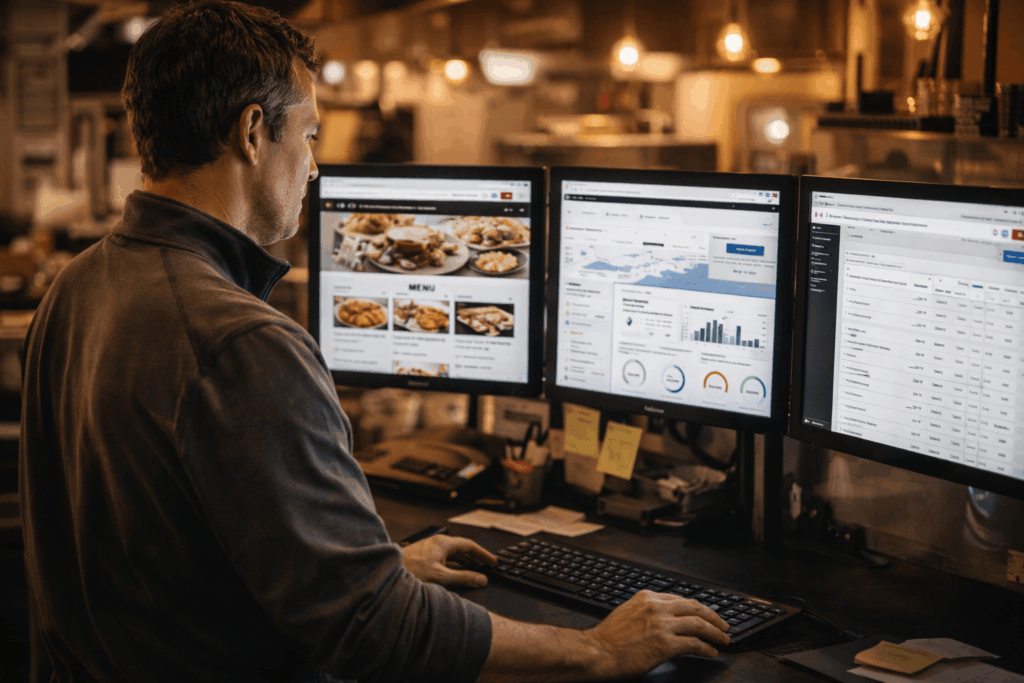
A restaurant manager works at a desk with three monitors displaying a food menu, website analytics, and dashboard data in a warmly lit office or restaurant setting.

Restaurant and hospitality websites look simple from the outside. Internally, they sit at the center of daily operations — connecting menus, locations, ordering platforms, and third-party systems that all need to stay aligned. When they don’t, the website is where it shows up.

We build and manage websites for restaurant and hospitality brands that understand that distinction.

What We Actually Do

We design and build custom websites — no templates, no page builders — and we integrate them with the platforms restaurant operations depend on: ordering systems, reservation tools, loyalty programs, and location management.

We also manage what we build. That means monitoring integrations, keeping systems updated, and maintaining the kind of ongoing oversight that keeps a well-built site from drifting over time. For some clients, we step into sites we didn’t build and do the same.

The work isn’t just technical. It’s making sure the system behind the website reflects how your business actually operates — and continues to, as things change.

Who We Work With

We work with independent restaurants, multi-location groups, and hospitality brands that have outgrown a basic website and need a partner who understands what their digital presence is actually connected to. We also work with breweries, wineries, and distilleries, where many of the same operational pressures apply.

What to Read Next

If you want to understand how we think about this work before we talk, start here:

  • Restaurant Websites: What They Actually Have to Support — why restaurant websites carry more responsibility than most people expect
  • Why Restaurant Websites Drift — what happens after launch, and why it matters who owns the system
  • Skipping OLO? It’s Affecting Your Business — the real cost of disconnected ordering
  • Why Having an Agency of Record Matters — the case for a single partner who owns the whole picture

If you’re ready to talk about your restaurant website, we’re here.

Recent Posts

  • Restaurant Websites: What They Actually Have to Support
  • Designing Website Access That Survives Change
  • When the Keys Walk Out the Door
  • Why Restaurant Websites Drift
  • How We Build Websites

Filed Under: Hospitality

A laptop keyboard beside small, colorful holiday Christmas ornaments—including gift boxes, drums, a red ball, and a pink disco ball—on a white background.

The “-ber” Months

It’s officially that time of year again, the “-ber” months. You know– OctoBER, NovemBER, DecemBER. These months consist of a lot of spending, planning, and celebrating. From the 15th bag of candy you picked up at the store in anticipation of the herds of trick-or-treaters, to already preparing for the Black Friday deals that bombard your inbox on November 1st– this might have you wondering “is my business ready for the holiday rush?”

With the hustle and bustle of the holiday season, it’s understandable if your website takes a backseat. Here are a few ways to make sure your website is ready for the holiday season:

1. How’s Your Website Look on Mobile?

  • Most holiday shopping happens on mobile — your site must be responsive.
  • Non-optimized sites lead to high cart abandonment and lost sales.
  • Test your site’s mobile view: right-click → Inspect → switch device view.
  • Ensure your design adapts seamlessly to any screen size.

2. Are Your Images Helping or Hurting?

  • Large, unoptimized images slow load times and frustrate shoppers.
  • Compress and resize photos for the web to improve speed and reduce bandwidth costs.
  • Use tinypng.com to shrink file size without losing quality.
  • Faster pages = happier customers and higher conversions.

3. Create a Holiday Traffic Forecast

  • Review past analytics to identify peak periods.
  • Add ~20% buffer for unexpected traffic surges.
  • Factor in new campaigns or promotions.
  • Scale hosting, servers, and bandwidth accordingly.
  • Revisit data post-holiday to refine future forecasts.

4. Test & Secure Payment Systems

  • Run load tests on checkout and payment gateways.
  • Ensure TLS certificates, encryption, and PCI compliance are current.
  • Monitor for fraud or anomalies; have a backup payment option ready.
  • Keep checkout code clean and efficient to prevent downtime.
  • Secure systems build customer trust and prevent lost sales.

Takeaways

  • Prep your site early to avoid issues during the holiday rush.
  • Optimize design, images, and infrastructure now.
  • Consider partnering with a web management agency for expert support.
  • A fast, secure, and responsive site = stress-free, profitable holidays.

A few strategic updates today can make all the difference—helping your site perform smoothly and confidently through the holiday season.

If you’d like to talk through where to begin, we’re here.

Recent Posts

  • Restaurant Websites: What They Actually Have to Support
  • Designing Website Access That Survives Change
  • When the Keys Walk Out the Door
  • Why Restaurant Websites Drift
  • How We Build Websites

Filed Under: DatAchieve Journal, Digital Marketing, SEO & Marketing, Web Design & Development

by Hannah Nance

Wall with various framed artworks, including portraits, a parrot illustration, and a bridge image. The frames vary in size and style, ranging from ornate gold to simple wood. The artworks are arranged closely together on a dark wall.

When contemplating traditional art, where does your mind wander? Perhaps to the Renaissance era, with luminaries like Leonardo DaVinci? Or maybe to the enchanting realm of Impressionism, inhabited by Monet and Vincent Van Gogh? You might be pondering how these venerable artistic styles influence digital art. After all, can digital art truly compare to the masterpieces of classical artists?

Leonardo DaVinci was not merely a painter; he was also a scientist. His artwork often employed geometric shapes, precise ratios, and subdued tones to accentuate his vision. Monet favored lighter hues, while Van Gogh excelled in imbuing his works with tangible texture. Digital art, ever-evolving, offers the advantage of creating both realistic renderings and venturing into the realm of abstract fantasy. Let’s delve into how traditional art can be translated into the digital medium.

The realm of marketing and digital media, traditional art and strategy are evident. Painters may carefully select color and shapes to evoke emotions, meanwhile marketers strategically write messages and visuals to resonate with their target audience. Color theory, composition, and storytelling play a big role in creating compelling marketing campaigns.

Color Theory

Color theory stands as a cornerstone in art creation, encompassing shading, the interplay of primary and secondary colors to convey depth, contrast, and visual allure. Artists use colors to convey mood and meaning, marketers apply color psychologically to evoke emotions and associations. Understanding the impact of colors on a person, allows for creatives to design logos, websites and advertisements that resonate with an audience.

A collection of paintbrushes of varying sizes and styles stands upright in a metal holder. The bristles show signs of use, and a blurred charcoal sketch of a horse is visible in the background.

Geometric architectural wall with green square tiles forming a three-dimensional pattern. Rectangular vents are embedded within the tiles, creating a modern and abstract design. Shadows cast varying shapes across the surface.

Structural Composition

Recall how DaVinci incorporated ratios into his compositions. Extending to all art forms, including website design. Visual composition aims to captivate viewers, employing elements and principles such as shapes, colors, balance, repetition, and texture. These compositional guides both artists and marketers in organizing elements harmoniously to draw attention to key focal points in their design. Considering all these elements are essential for effective communication.

Creativity

Both artists and coders rely on creativity to execute their projects. When it comes to crafting a painting or or writing code, the ability to think outside the box and explore non-traditional solutions is an important key for innovation and originality.

Two people stand in front of a large, ornate painting depicting a dynamic biblical or mythological scene with numerous figures. The artwork is set against a dark red wall in a museum or gallery space with wooden flooring.

Key Takeaways

Essentially, in a world constructed by technology and innovation, the integration of traditional art techniques in fields like marketing and coding, highlight foundational principles. As we continue to push the boundaries of possibility, the fusion of art and technology paves the way for limitless creativity and endless innovation!

Filed Under: Design

  • « Go to Previous Page
  • Page 1
  • Page 2
  • Page 3
  • Page 4
  • Page 5
  • Page 6
  • Go to Next Page »
The DatAchieve logo, consisting of a red pentagon with a stylized capital
30 West Washington StreetHagerstown, Maryland 21740
Toll Free:800.706.1191Phone:301.791.2622

Navigation

  • Home
  • About Us
  • Our Services
  • Our Work
  • News
  • Testimonials
  • We’re WordPress Specialists
  • Restaurant & Hospitality Websites
  • Nonprofit Websites
  • We're Hiring
  • Contact Us
  • Privacy Policy

Services

  • Web Development
  • Site Management
  • Digital Marketing
  • Creative
  • Video Production
  • Platform, Services, & API Integration

Hey!Are you following us?

Work With Us

© 2026 DatAchieve Digital

We use cookies and tracking tools to improve your experience. By continuing to browse, you accept our Privacy Policy.