• Skip to main content
Logo of Datachieve Digital featuring a stylized
800.706.1191Contact Us

Menu

  • Home
  • About Us
  • Our Services
  • Our Work
  • News
  • Testimonials
  • We’re Hiring
  • Contact Us

The DatAchieve Team

A red line transitions from a chaotic tangle on the left to a neat spiral on the right, symbolizing moving from confusion to order, on a plain white background.

Digital platforms were supposed to make things easier.

Instead, most organizations are drowning in disconnected tools—CRMs, email, ecommerce, POS, donor software, scheduling, analytics. Each with its own vendor. Its own learning curve. And no one pulling it all together. Too often, they’re left in the hands of short-term hires who say they “know,” but don’t.

That’s where an Agency of Record comes in.

What is an Agency of Record?

An Agency of Record (AOR) is your partner for making sure all your digital systems and vendors actually work together—not just your website, but every connected platform and tool.

  • Vets and manages third-party tools
  • Coordinates across platforms and vendors
  • Advises based on real-world experience
  • Implements systems that actually work together
  • Supports you with a single point of contact who knows your organization and team
  • Provides a clear audit trail record of who did what, when
  • Buttons up everything—every day—so you’re covered if disaster or bad actors strike
  • Shows up as a real, accountable person at your meetings—with an expert team behind them

Why this matters right now

  • Tech costs are rising—and so are mistakes
  • Internal teams are stretched thin
  • Vendors don’t talk to each other
  • Compliance, security, and accessibility gaps are widening
  • You need clarity and accountability—not another dashboard

Is an Agency of Record model right for you?

A quick self-check to help you identify whether it’s time to consolidate your digital vendors under one experienced partner.

  • You have multiple third-party tools (CRMs, email, ecommerce, etc.) that don’t work well together.
  • You’re paying for platforms you don’t fully use or understand.
  • Your internal staff spends too much time managing tech or troubleshooting.
  • You don’t have one person or vendor who understands all of your systems.
  • When something breaks, your’re not sure who to call—or it takes too long to fix.
  • You’re worried about data privacy, compliance, or accessibility (but don’t have time to deal with it).
  • You’ve had to re-explain your needs over and over to different vendors.
  • You don’t don’t know if any of what your’re paying for really makes a difference and don’t have a clear picture of how your digital tools support your actual goals.
  • You feel like you’re reacting instead of planning.
  • You’d rather work with a team who understands the whole picture—and your business.
  • You want one point of accountability.

If you checked two or more boxes, it might be time to talk. We’re not just a vendor—we’re your digital partner.

We’re “Human to Human”

More than B2B or B2C—we’re a “Human to Human agency. You won’t be talking to a chatbot or a call center. We’ll show up at your meetings. You’ll be working with real people—designers, developers, marketers, and strategists—who do this every day, can share what they’ve learned working with organizations just like yours, and whop understand what it takes to keep systems running, budgets in check, and teams moving forward. Not sure? Just ask our clients.

We’re not here to sell you more platforms. We’re here to make the ones you already have work better.

Want to see if this model makes sense for your team? Let’s talk.

Recent Posts

  • Restaurant Websites: What They Actually Have to Support
  • Designing Website Access That Survives Change
  • When the Keys Walk Out the Door
  • Why Restaurant Websites Drift
  • How We Build Websites
The DatAchieve Team

Filed Under: Business

Federal grant guidance is shifting. Here’s what that may mean for planning, funding, and strategy.

President Donald J. Trump signs executive orders.
President Trump Signs Executive Order- Public Domain

An Executive Order issued in August 2025 introduces changes to how federal grants are reviewed and approved. Among the key provisions: agencies are now asked to ensure that grantmaking efforts align more directly with stated federal policy priorities. Political appointees are expected to play a larger role in the oversight process.

Why it matters:

For nonprofits, arts organizations, and community groups, this shift could influence how grants are evaluated, especially in mission areas that have become politically visible in recent years. These may include programs focused on diversity, community health, equity initiatives, and environmental education.

Fundraising implications:

Federal funds often serve as an anchor for larger efforts—providing match funding, validation, and access to complementary support. In light of these changes, organizations may experience:

  • Longer approval timelines or modified review processes
  • Requests for additional documentation or clarification
  • Uncertainty around funding renewals
  • Caution among private funders waiting to see how things evolve

What you can do right now (without a full website rebuild):
As a digital partner to many nonprofits and community-focused organizations, we recommend a practical, proactive review:

  • Revisit your Calls to Action – Are they clear, compelling, and accessible across devices? Are they doing the job for you—and for your donors?
  • Test your donor funnel – What’s the experience like from first click to completed gift? Are there friction points or confusion?
  • Review your messaging – Does your appeal still resonate in the current political and cultural moment? Is it clear what’s at stake and why your work matters?
  • Track user journeys – It may be time to implement light visitor tracking to understand how people are interacting with your site and where they’re dropping off.
  • Evaluate your donor platform or CRM – Is it helping you build relationships—or just managing transactions?
  • Audit your email campaigns – Are you reaching people consistently with timely, thoughtful content that supports your mission?
  • Refresh your success stories – Share outcomes, not just needs. Help donors see the tangible difference they’re making.

You don’t need to overhaul your entire digital presence—but taking a fresh, strategic look now can help you stay confident, responsive, and donor-ready.

If you’d like to talk through where to begin, we’re here.

Recent Posts

  • Restaurant Websites: What They Actually Have to Support
  • Designing Website Access That Survives Change
  • When the Keys Walk Out the Door
  • Why Restaurant Websites Drift
  • How We Build Websites

Filed Under: Business, Non-Profit

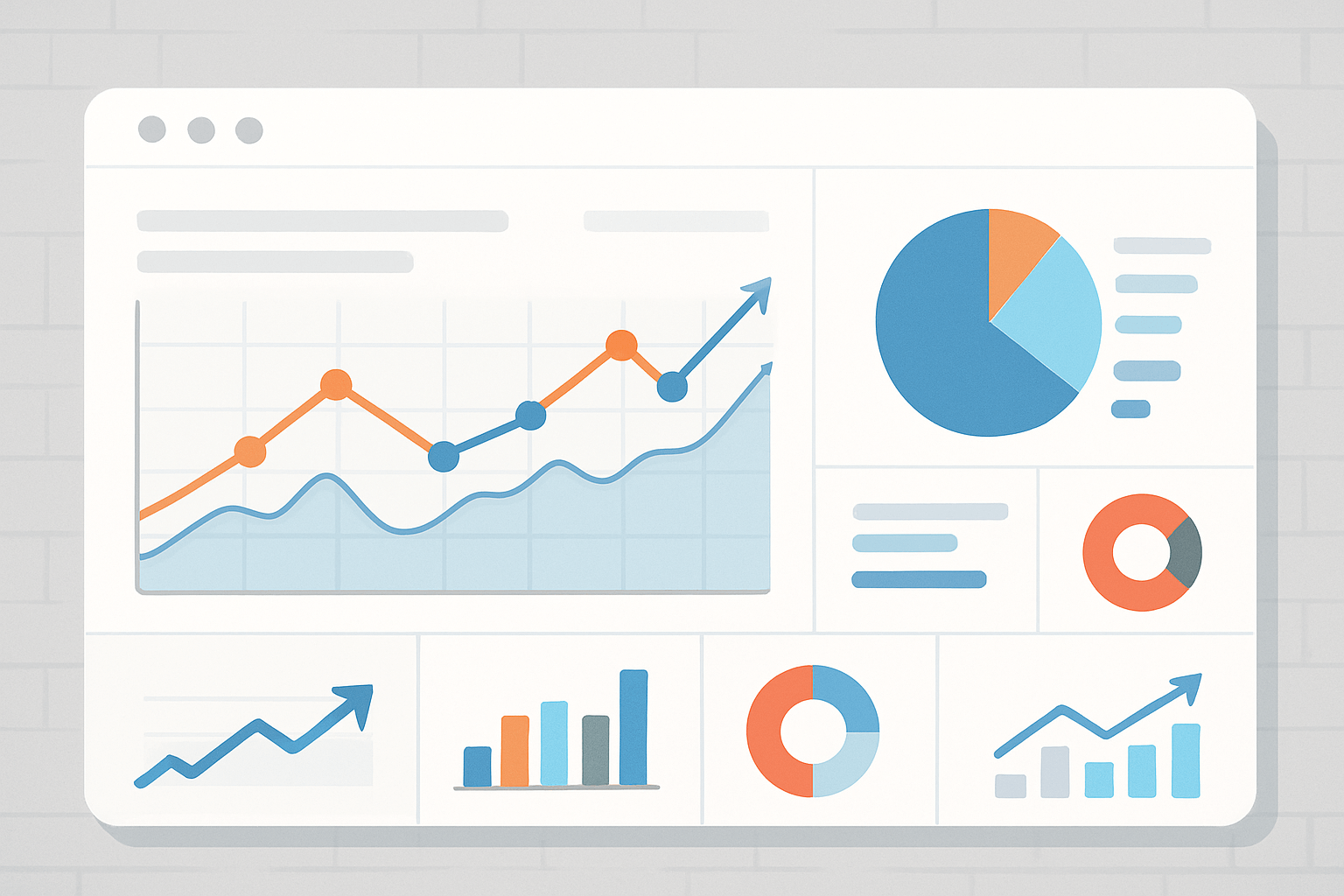
A dashboard displaying various charts and graphs, including line graphs, bar graphs, and pie charts, illustrating data trends and analytics with blue, orange, and teal color accents.

A Hidden Risk for Medical Practices

Google Analytics is a go-to tool for tracking website visitors. But for medical practices, it comes with a compliance catch.

Google Analytics is just one of many hidden HIPAA risks—see our article on Hidden HIPAA Landmines on Digital Platforms

The Issue

  • HIPAA requires a Business Associate Agreement (BAA) if a vendor might access Protected Health Information (PHI).
  • Google does not provide a BAA for Google Analytics.
  • PHI can slip in through URL parameters, on-site searches, or user-submitted data—even unintentionally.

Why it Matters

  • Using Google Analytics without a BAA = HIPAA violation risk.
  • Violations can mean:
    • Fines
    • Legal action
    • Reputational damage

What to Do

  • Review analytics tools in use.
  • Limit data: anonymize IPs, disable data sharing, and block PHI from being captured.
  • Consider alternatives: Matomo, Microsoft Azure, or other HIPAA-compliant platforms that offer BAAs.
  • Audit regularly to confirm compliance.

👉 Bottom line: Google Analytics may deliver valuable insights, but without a BAA, it leaves your practice exposed. Looking for solutions? Here are the HIPAA-Compliant Analytics Options we recommend for medical practices.


Note: The information provided in this article is for general educational purposes only and does not constitute legal advice. While we reference third-party tools and HIPAA requirements, every organization’s compliance obligations may vary. You should consult with qualified legal or compliance professionals to determine how HIPAA applies to your specific situation. References to Google Analytics and other platforms are for informational/editorial purposes only and do not imply endorsement.

Recent Posts

  • Restaurant Websites: What They Actually Have to Support
  • Designing Website Access That Survives Change
  • When the Keys Walk Out the Door
  • Why Restaurant Websites Drift
  • How We Build Websites

Filed Under: Healthcare

A close-up of a hand-drawn website wireframe sketch on paper, showing boxes, lines, and placeholder text representing layout elements like images, headings, and buttons.

If you’re wondering why so many organizations are starting a website rebuild or redesign, you’re not imagining things. Sites built just a few years ago are already falling behind.

We’re seeing it across the board: organizations are rebuilding—not just redesigning—because the environment around them has changed. Not cosmetically. Functionally.

Here’s what’s driving it:

Why a Website Rebuild Is Becoming the Smarter Choice

  • New privacy rules in website redesign projects
  • API and platform transitions
  • Performance and accessibility expectations
  • AI isn’t optional anymore

New privacy rules

Regulations like GDPR, CCPA, and now more state-level laws are requiring clearer consent, better data practices, and, in some cases, platform-wide restructuring. What used to be a checkbox is now a system-wide consideration.

API and platform shifts

Third-party tools have moved fast. Platforms that used to “just work” with your site now require custom integrations, additional fees, or have changed their business model entirely. Some are shutting down APIs or limiting access to data, prompting a need for website redesign efforts.

Performance and accessibility expectations

Google’s Core Web Vitals, ADA compliance risks, and increasing mobile-first behavior have raised the bar. What passed last year might fail today. And if your site doesn’t load fast and work for everyone, it costs you—both in search rankings and actual user trust.

AI isn’t optional anymore

AI tools—from chat to content to personalization—are creating new expectations. Visitors assume faster answers, smarter recommendations, and more relevant experiences. It’s no longer a nice-to-have, and a website redesign can help you leverage AI effectively.

So, why does this matter?

Because many organizations are still patching things rather than stepping back to look at the full picture. They’re duct-taping outdated frameworks, hoping they can squeeze another year out of a site that wasn’t built for how people interact with the web today.

But eventually, the patches become more expensive than doing things right. So yes—another website redesign. But not because someone pitched you a new design. Because your foundation no longer fits the world your organization operates in.

What we’re seeing in website redesign.

We’re helping clients:

  • Audit what’s changed under the hood
  • Reduce unnecessary systems
  • A website rebuild with lighter, faster, and more flexible tools
  • Build in integrations that actually work together
  • Plan for the next 3–5 years, not just the next campaign
  • We’re helping organizations audit and rebuild
  • Not a redesign. A rethinking.

If your site feels like it’s lagging—or if you’ve already started leaning on staff, plugins, or workarounds just to keep things running—it may be time to step back and consider a new strategy for website redesign.

We’re happy to talk through what that looks like.

Recent Posts

  • Restaurant Websites: What They Actually Have to Support
  • Designing Website Access That Survives Change
  • When the Keys Walk Out the Door
  • Why Restaurant Websites Drift
  • How We Build Websites

Filed Under: Business, Web Design & Development, Web Trends

A doctor in a white coat reviews a clipboard in front of two monitors displaying Google Analytics graphs, one with a warning symbol and the other with a health shield icon.

Google Analytics is a powerful tool—but it isn’t HIPAA compliant. Because Google won’t sign a Business Associate Agreement (BAA) for Analytics, medical organizations face compliance risks even if disclaimers are in place. The good news? There are alternatives.

Why This Matters

Even something as simple as a patient typing their name into a website inquiry form or search bar could be considered Protected Health Information (PHI). If that data flows into Google Analytics, your practice may be in violation of HIPAA—even unintentionally. If you’re still using GA, see why it’s a risk in Is Google Analytics HIPAA Compliant?

Comparison Table: Analytics Alternatives for Healthcare Organizations

Several analytics platforms offer HIPAA-friendly setups:

PlatformBAA?StrengthsLimitationsBest For
Piwik PRO✅ YesAll-in-one analytics suite with consent management, hosting options, and built-in compliance tools.More expensive than GA; requires learning curve.Practices wanting a turnkey HIPAA-compliant replacement for GA.
Freshpaint✅ YesActs as a privacy layer, filtering PHI before passing data downstream. Lets you keep existing analytics tools.Added complexity; requires strict setup and monitoring.Practices that want to keep GA-like tools but need a HIPAA buffer.
Matomo (self-hosted)⚠️ Possible (if you fully control hosting)Open-source, customizable, full control of data.No BAA by default; your IT team is responsible for hosting securely.Larger practices or hospital systems with IT staff who want control.
Mixpanel (enterprise)✅ YesDeep event-based tracking (user journeys, funnels, retention).Requires careful event design to avoid PHI; not “plug-and-play.”Practices or networks tracking patient engagement across digital touchpoints.
PostHog (self-hosted/enterprise)✅ YesOpen-source; customizable; strong developer flexibility.Requires hosting and engineering effort.Practices with dev team and desire for customization.
BigQuery (Google Cloud)✅ YesEnterprise-scale storage/analysis; integrates with Looker for dashboards.Not a direct GA replacement; requires custom data pipeline.Practices needing scalable analytics with full HIPAA compliance.

👉 Next Step: Audit your current analytics setup. If you’re using Google Analytics, consider a transition plan to a HIPAA-compliant solution.

These alternatives help avoid the common mistakes outlined in Hidden HIPAA Landmines on Digital Platforms


Note: The information in this comparison is provided for general informational purposes only and does not constitute legal, compliance, or financial advice. HIPAA compliance depends on how each platform is implemented, configured, and maintained within your organization. Mention of third-party tools is for educational purposes and does not imply endorsement. Always consult with qualified legal, compliance, or IT professionals before making decisions regarding HIPAA compliance or technology adoption.

Recent Posts

  • Restaurant Websites: What They Actually Have to Support
  • Designing Website Access That Survives Change
  • When the Keys Walk Out the Door
  • Why Restaurant Websites Drift
  • How We Build Websites

Filed Under: Healthcare

A laptop displaying code on its screen sits on a wooden surface, with the WordPress logo and text prominently shown in the background.

The short version:
WordPress works best when it’s used as a foundation for building something specific. It works poorly when it’s used as a shortcut to get something—anything—on the screen quickly.

What “Using WordPress as a Platform” Means

Using WordPress as a platform starts with the core CMS and builds upward, intentionally—a mindset that explains why we use WordPress at all, and how we make it work long term. That usually means:

  • Defining content types and relationships based on real needs
  • Designing layouts that support that structure
  • Writing or extending code where necessary
  • Limiting options on purpose

It’s slower at the start, but it produces systems that can be updated, extended, and understood over time.

What “Using WordPress as a Shortcut” Looks Like

Shortcuts usually begin with a theme.

Off-the-shelf themes are designed to work for everyone—doctor, lawyer, nonprofit, restaurant, knitting club, and online store—often all at once. To do that, they include:

  • Dozens of layouts and features you’ll never use
  • Configuration layers on top of configuration layers
  • Assumptions about content that may not fit your organization

At first, this feels efficient. Over time, it becomes restrictive.

Why Themes Create Hidden Complexity

General-purpose themes don’t disappear when you stop using parts of them. Unused code:

  • Still loads
  • Still needs updates
  • Still carries risk

When the theme doesn’t quite fit, plugins are added to compensate. Each plugin brings its own logic, dependencies, and update cycle. The site grows outward instead of upward.

Nothing is “wrong” yet—but the system is getting harder to reason about.

The Long-Term Cost of Shortcuts

Shortcut-driven builds tend to:

  • Accumulate plugin bloat
  • Become fragile during updates
  • Resist change instead of supporting it
  • Require workarounds for basic requests

Eventually, the question becomes: “Can we change this?” instead of “What should we change?”

That’s usually when rebuilds happen.

Why This Is Avoidable

Using WordPress as a platform shifts the effort forward.

Instead of bending tools to fit later, structure is established early. Instead of accepting every feature a theme provides, only what’s needed is built. The result is a site that:

  • Loads less code
  • Has fewer dependencies
  • Is easier to update
  • Remains understandable to future developers

How This Connects

This idea is closely tied to:

  • Why structure comes before convenience
  • Why plugins and updates break unmanaged sites
  • Why ongoing care matters

Each of these topics stands alone. Together, they explain why some WordPress sites stay stable—and others quietly collapse under their own shortcuts.

Our Opinion
Most teams don’t choose shortcuts because they’re careless. They choose them because the long-term cost isn’t visible yet. By the time it is, the shortcut has already become the system.

  • How We Build Websites
  • Why We Use WordPress—and How We Make It Work
  • Using WordPress as a Platform, Not a Shortcut
  • Plugins, Updates, and Why WordPress Sites Break
  • WordPress.org vs. WordPress.com: Same Name, Very Different Tools
  • WordPress: What It Is, What It Isn’t, and Why That Matters
  • WordPress: Why Structure Comes Before Convenience

Trademark Notice: WordPress®, the WordPress logo, and related marks are trademarks of the WordPress Foundation. Their use on this site is for informational purposes only and does not imply endorsement, sponsorship, or partnership.

Our WordPress Series

  • How We Build Websites
  • Why We Use WordPress—and How We Make It Work
  • Using WordPress as a Platform, Not a Shortcut
  • Plugins, Updates, and Why WordPress Sites Break
  • WordPress.org vs. WordPress.com: Same Name, Very Different Tools
  • WordPress: What It Is, What It Isn’t, and Why That Matters
  • WordPress: Why Structure Comes Before Convenience

Filed Under: Our WordPress Series, Web Design & Development, WordPress

A person holds a tablet displaying a login screen for the "Internal Revenue Service" website, showing fields for user ID, password, a "Remember me" checkbox, and options to log in or recover a forgotten password.

The Gist

Member expectations are rising faster than budgets. In 2025, your website isn’t just a communications tool—it’s the engine that drives renewals, registrations, and retention.

  1. Members expect on-demand everything.
    • They want self-service portals for payments, profiles, and resources.
    • Mobile usability matters more than ever—over 70% of members now access association sites from a phone.
    • If your website and portal experience isn’t frictionless, your renewal rate will show it.
  2. Data privacy and compliance are non-negotiable
    • State-level privacy laws (think California, Colorado, Connecticut) now affect national organizations.
    • Collecting member data through non-secure forms or third-party widgets can expose you to liability.
    • Audit how data moves between your CRM, email platform, and website.
  3. Integration beats innovation
    • You don’t need new software—you need your existing systems talking to each other.
    • Link your AMS or CRM with your website and event tools for a single source of truth.
    • Dashboards that show renewals, registrations, and engagement in one place will save your staff hours each week.
  4. Accessibility equals professionalism
    • Accessibility lawsuits are increasing, and WCAG 2.2 standards are now widely enforced.
    • An accessible website isn’t just compliance—it signals respect for every member.
  5. Ongoing management is the new membership benefit
    • Sites that aren’t maintained regularly lose trust—and search rank.
    • Assign internal or external ownership for updates, backups, and analytics.
    • The most effective organizations treat digital management as part of their operations, not an afterthought.

The takeaway

Members notice when digital systems work—and when they don’t. A well-managed, compliant, and connected membership website builds confidence in your organization and keeps renewals coming in.

Recent Posts

  • Restaurant Websites: What They Actually Have to Support
  • Designing Website Access That Survives Change
  • When the Keys Walk Out the Door
  • Why Restaurant Websites Drift
  • How We Build Websites

    Filed Under: Destinations & Tourism, Non-Profit, Web Design & Development, Web Trends

    You can’t always see what’s wrong with your website by clicking around. We dig deeper—mapping content, tracking real user behavior, and uncovering hidden issues that affect performance, findability, security, and compliance. Before we ever propose a solution, we deliver insights that reshape the conversation.


    Curious how we help clients act on what an audit uncovers? Here’s how we use dashboards to track content, budget, and performance across platforms.

    And if you’ve ever considered using AI tools for technical tasks like DNS updates, read what happened when one client tried it—and what it cost him.


    What’s Really Going On With Your Website?

    We recently reviewed a client’s website and tracked the journey of a visitor who was searching for a particular program offered by the organization. The visitor typed the program name into the site’s search bar but left out a hyphen. The search returned nothing, and they left.

    That program was there. The user just couldn’t find it.

    And that’s the kind of thing you won’t catch just by clicking through your site or reviewing analytics dashboards. But it’s exactly the kind of thing we look for—and fix.

    Before we take on website management or propose a redesign, we audit. Not as a standalone service, but as a crucial step in making sure we’re solving the right problems—and creating measurable improvements.

    What We Uncover

    We approach audits as both a diagnostic and a baseline. Here’s what that looks like in practice:

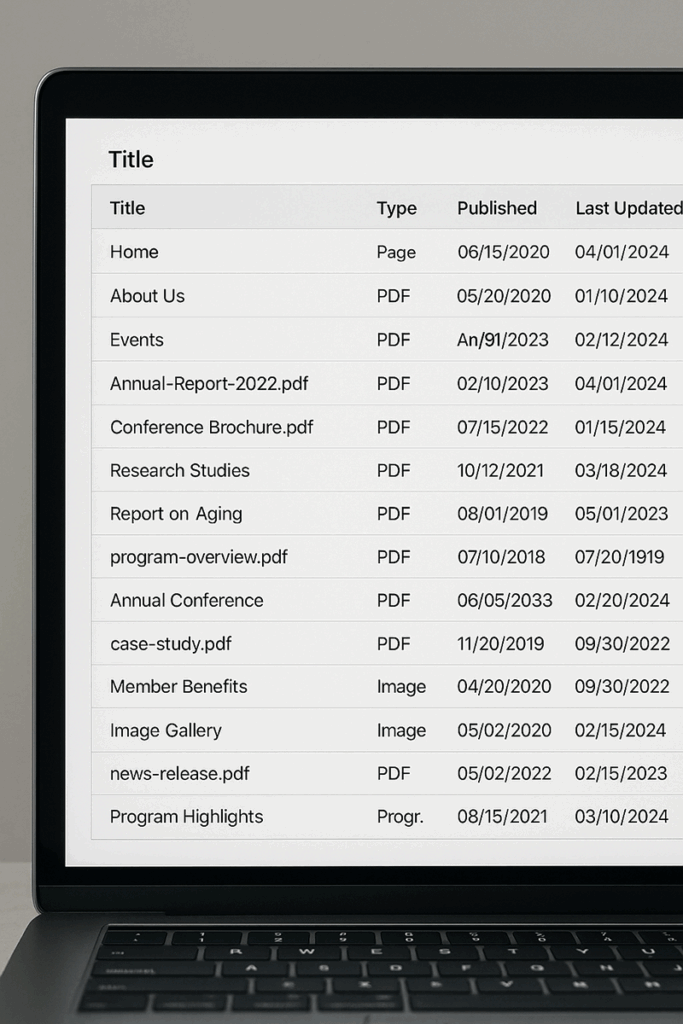
    Computer screen displaying a table of website content, including titles, file types (PDF, page, image), and columns labeled 'Published' and 'Last Updated,' illustrating a detailed content audit.
    • Comprehensive Content Audit
      We catalog every page, image, PDF, and file on your site. Each asset is logged with its original publish date and last update. That means we’re not just looking at what’s there—we’re looking at what’s stale, what’s duplicated, what’s invisible to users and search engines, and what needs to go.
    • User Behavior Mapping
      We use session tracking to observe how real users interact with your website. Where they click. Where they hesitate. Where they get lost or give up. Watching an actual visitor’s journey—scrolling, searching, struggling—can change how your team thinks about digital strategy.
    • Comprehensive Content Audit
      We catalog every page, image, PDF, and file on your site. Each asset is logged with its original publish date and last update. That means we’re not just looking at what’s there—we’re looking at what’s stale, what’s duplicated, what’s invisible to users and search engines, and what needs to go.
    • Technical & Search Visibility Audit
      Are there broken links, orphaned pages, or bloated plugins dragging down performance? Are your pages being properly indexed by search engines? Is your internal search delivering relevant results? These are the issues that quietly shape how well your website supports your organization—and whether it’s showing up when people go looking.
    • Security & Privacy Review
      We evaluate the site for outdated software, unpatched vulnerabilities, and poor password practices. But we also take a serious look at data exposure and compliance with regulations like GDPR, HIPAA, CCPA, and ADA accessibility. If your organization handles sensitive information or serves the public, this part is non-negotiable.

    Why It Matters

    Most websites evolve organically. Teams make updates, vendors change, plugins get installed, priorities shift. Over time, the structure that once worked can become hard to manage, harder to understand, and impossible to evaluate without a fresh set of eyes.

    Our audits give you that clarity:

    • What’s working well
    • What’s putting you at risk
    • What’s confusing users
    • What’s holding you back
    • And most importantly—what to do next

    The result isn’t a long list of problems. It’s a roadmap, prioritized by urgency and impact, that your team can use—whether we handle the fixes or not.

    A Smarter Starting Point

    Our audits aren’t about finding flaws. They’re about uncovering opportunity—and making sure every decision from that point forward is grounded in facts, not assumptions.

    We’ve seen organizations rethink not just their websites, but their messaging, workflows, and outreach strategies after going through this process. And after launch, we use the original audit as a benchmark—so we’re not just delivering a fresh look, but measurable improvements in performance, accessibility, and user engagement.

    Curious What Your Site Might Reveal?

    You might be surprised at what’s hiding just beneath the surface. We’d be glad to take a look—and start a real conversation about what’s working, what’s not, and what’s next.

    Contact Us to Learn More >

    Recent News

    • Restaurant Websites: What They Actually Have to Support
    • Designing Website Access That Survives Change
    • When the Keys Walk Out the Door
    • Why Restaurant Websites Drift
    • How We Build Websites

    Filed Under: Business, SEO & Marketing, Web Design & Development, Web Trends

    Making the Numbers Make Sense with Key Metrics Dashboards

    Recently we’ve been helping clients identify redundancies, overlaps, and outdated platforms, and building dashboards that go beyond web traffic—they connect ad spend, site visits, and actual sales in one place. By utilizing custom business dashboards with tools like Looker Studio and Tableau, businesses can gain invaluable insights.

    The big idea:
    Use tools like Looker Studio and Tableau to pull business intelligence together, so clients can actually see what’s working.

    Why it matters:
    Clients are overwhelmed by disconnected tools
    Jumping between tabs kills clarity
    Most just want to make decisions without a data scavenger hunt

    What we’re doing:

    • Conducting audits of client’s existing platforms
    • Building custom dashboards that show trends over time (monthly, quarterly, YoY)
    • Connecting ad spend to sales outcomes—not just vanity metrics
    • Asking: What can we remove? as often as What should we add?
    • Helping teams focus on what’s actually happening in their systems

    The takeaway:
    This isn’t about more data.
    It’s about making the right data easier to see—so people can act on it and move on.

    If that kind of clarity sounds useful, we’re happy to talk through what’s possible.

    Recent Posts

    • Restaurant Websites: What They Actually Have to Support
    • Designing Website Access That Survives Change
    • When the Keys Walk Out the Door
    • Why Restaurant Websites Drift
    • How We Build Websites

    Filed Under: Business, SEO & Marketing, Uncategorized, Web Design & Development, Web Trends

    A DNS Misstep That Took Everything Offline

    We recently heard from someone in a panic. Their website was down, email wasn’t working, and orders had stopped. The problem? They had asked ChatGPT how to add a service to their site. Among other tips, it mentioned modifying their DNS records. So they did—without realizing what DNS does or how it touches nearly everything tied to their domain.

    To be fair, AI wasn’t wrong. It gave good advice—within the context of the chat. But without knowing the full setup, things can go sideways fast.

    We’re not anti-AI. Quite the opposite—we use it every day to help us write, plan, analyze, and solve problems faster. In fact, we encourage our clients to use tools like ChatGPT, especially when it helps them:

    • Generate ideas for blog posts or FAQs
    • Understand marketing terms or tech jargon
    • Brainstorm product descriptions or headlines
    • Explore ways to improve SEO or site performance
    • Draft responses to customer questions

    But when it comes to taking action, especially on things like DNS, web hosting, or platform updates, it’s worth pausing. AI doesn’t know what your particular environment looks like. It won’t know if your site is using Cloudflare, whether your mail is handled by Google Workspace or Outlook, or if there’s a legacy integration hiding in the background. We do. Here’s how we think about it:

    • Use AI for first drafts, brainstorming, and exploration.
    • Use us when you’re about to press a button you’re not sure about.
    • Or better yet—loop us in as part of the process. We’re happy to advise, review, or jump in when needed.

    AI is a great tool. So are we. Use both.

    Recent Posts

    • Restaurant Websites: What They Actually Have to Support
    • Designing Website Access That Survives Change
    • When the Keys Walk Out the Door
    • Why Restaurant Websites Drift
    • How We Build Websites

    Filed Under: Business, Uncategorized, Web Design & Development, Web Trends

    • « Go to Previous Page
    • Page 1
    • Page 2
    • Page 3
    • Page 4
    • Interim pages omitted …
    • Page 6
    • Go to Next Page »
    The DatAchieve logo, consisting of a red pentagon with a stylized capital
    30 West Washington StreetHagerstown, Maryland 21740
    Toll Free:800.706.1191Phone:301.791.2622

    Navigation

    • Home
    • About Us
    • Our Services
    • Our Work
    • News
    • Testimonials
    • We’re WordPress Specialists
    • Restaurant & Hospitality Websites
    • Nonprofit Websites
    • We're Hiring
    • Contact Us
    • Privacy Policy

    Services

    • Web Development
    • Site Management
    • Digital Marketing
    • Creative
    • Video Production
    • Platform, Services, & API Integration

    Hey!Are you following us?

    Work With Us

    © 2026 DatAchieve Digital

    We use cookies and tracking tools to improve your experience. By continuing to browse, you accept our Privacy Policy.